1. Invitation Email
Once the administrator adds you to their project, you will receive an invitation email.
To get started, click on the provided link, which will open the login page.

2. Creating a Personal Account
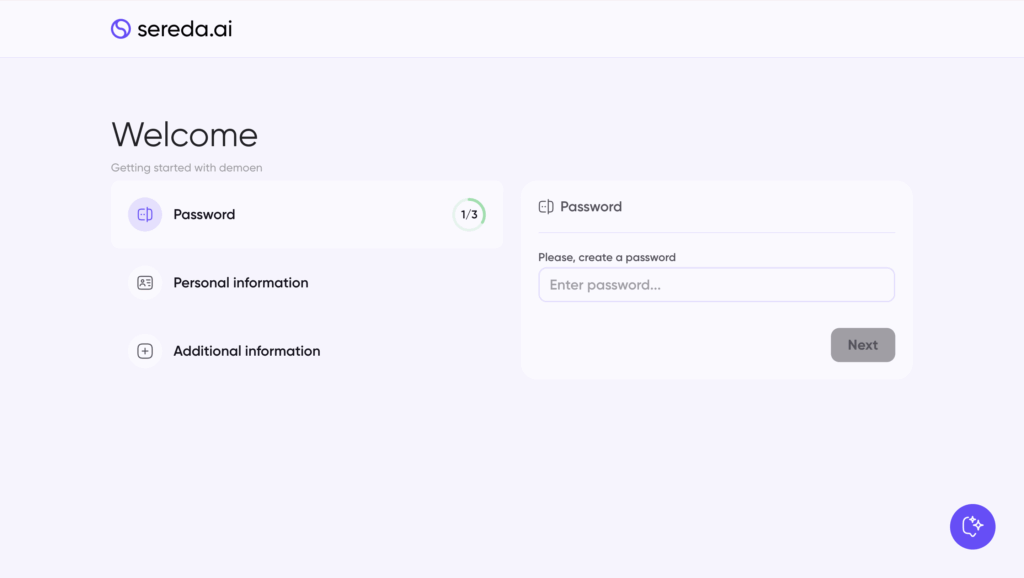
2.1. Step 1
Choose and create a password.
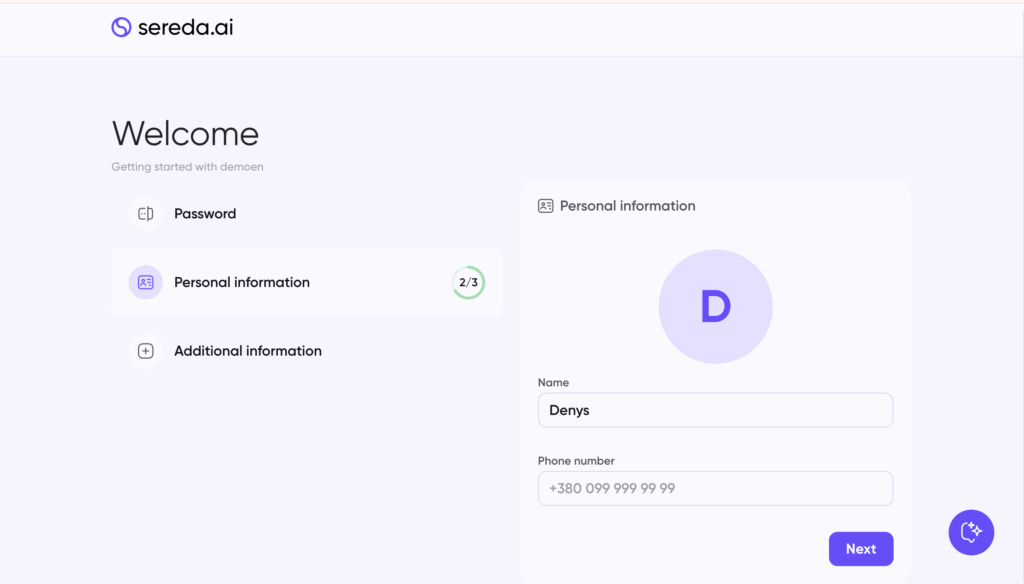
2.2. Step 2
Enter your personal information (name and phone number).
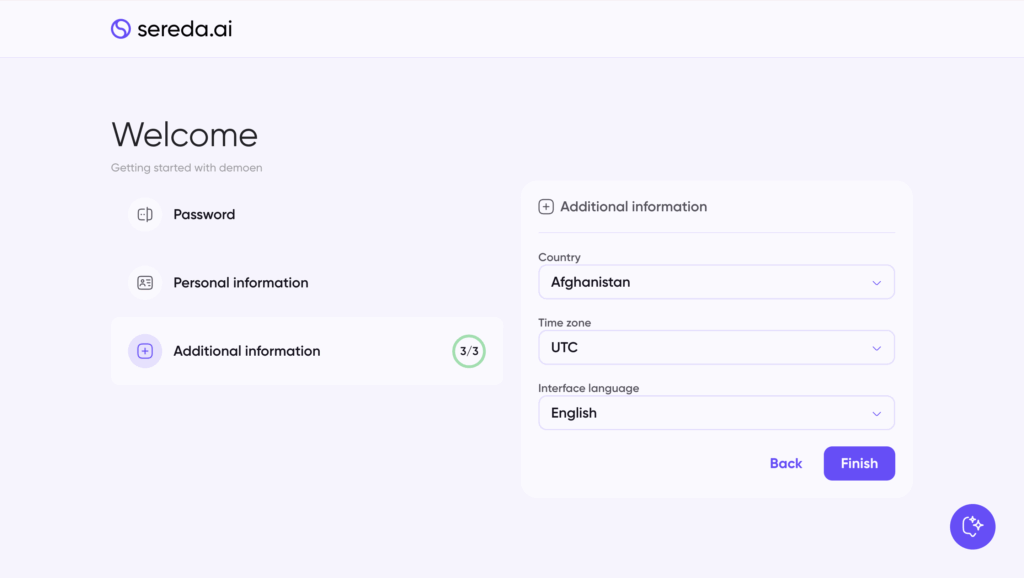
2.3. Step 3
Select your location, time zone, and set the interface language.
Leave a Reply